Chrome extension · Now in private beta
Every password manager flags a breach. Rekey fixes it.
Rekey is a Chrome extension that finds the passwords caught in a data breach and gets each one fixed. It takes you to the change page, hands you a strong new password, and saves it the moment it works. The old one keeps working until then, so you're never locked out. It runs alongside the password manager you already use.
No inbox access · passwords stay on your device · open source
01 · The breach
You know the email.
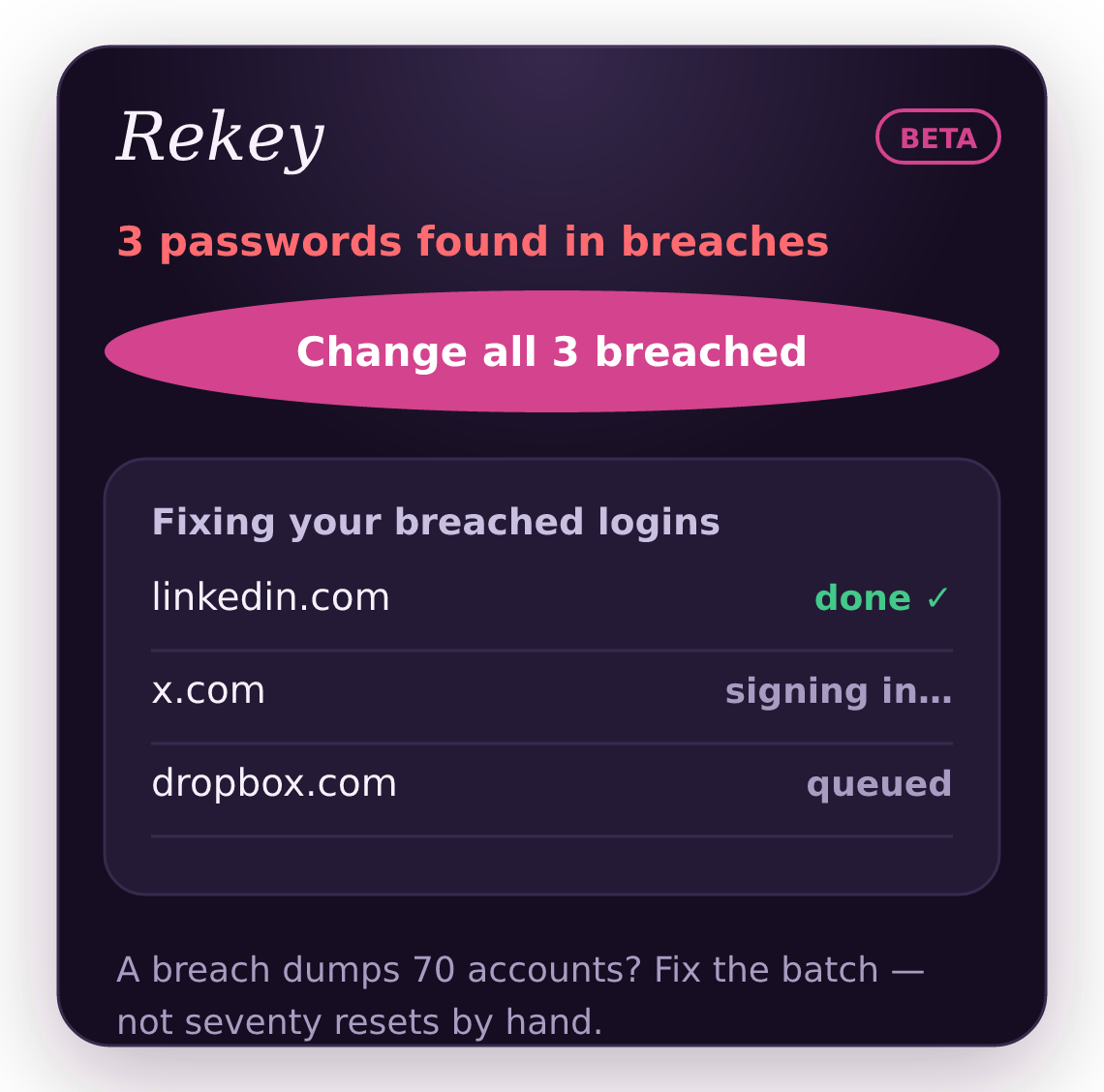
"Your password may have been compromised in a recent data breach." Then they pile up: twelve, thirty, seventy warnings you'll realistically never clear, because clearing them means seventy resets by hand.
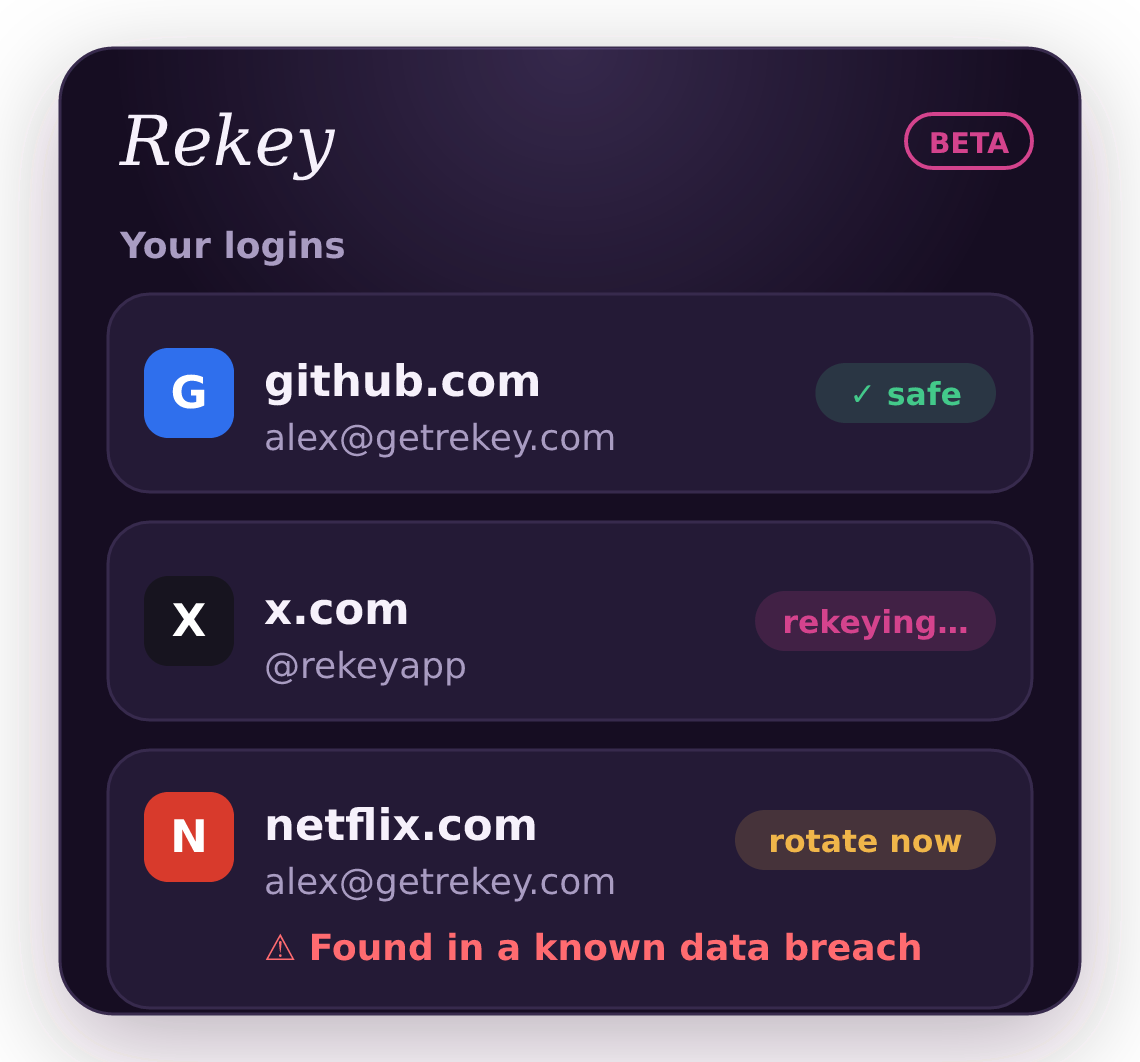
Rekey: rotation queue
rotated 12 days ago fresh
breach reported Jun 28 rekeying…
found in a known breach rotate now
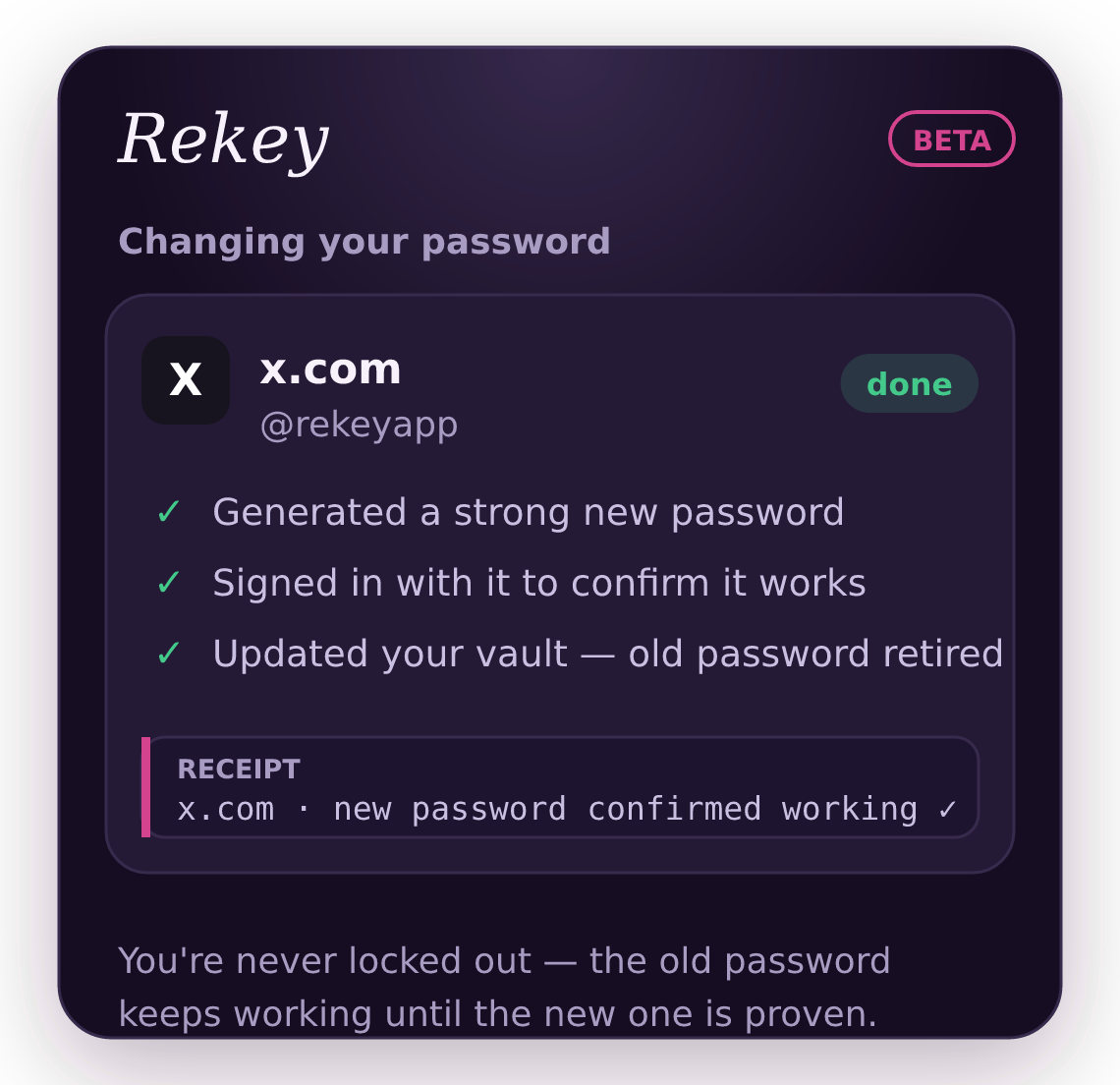
early build: x.com rekeyed and confirmed working, old password retired ↑
Every password manager will happily tell you what's broken. Almost none will fix it. Apple is finally building this, for iPhones, in Safari. If you live in Chrome, on Windows, or on Android, you're on your own.
"I get loads of warnings saying my passwords were in a data breach (70 accounts)… will any password manager automatically update them?"
"It would be a great feature: Bitwarden automatically changing passwords for us?"
"One of the primary sellers of Dashlane was auto-changing passwords… only 6 of my 200+ were eligible."
Real posts, lightly trimmed. We didn't invent this demand. We went and read it.
Watch it work
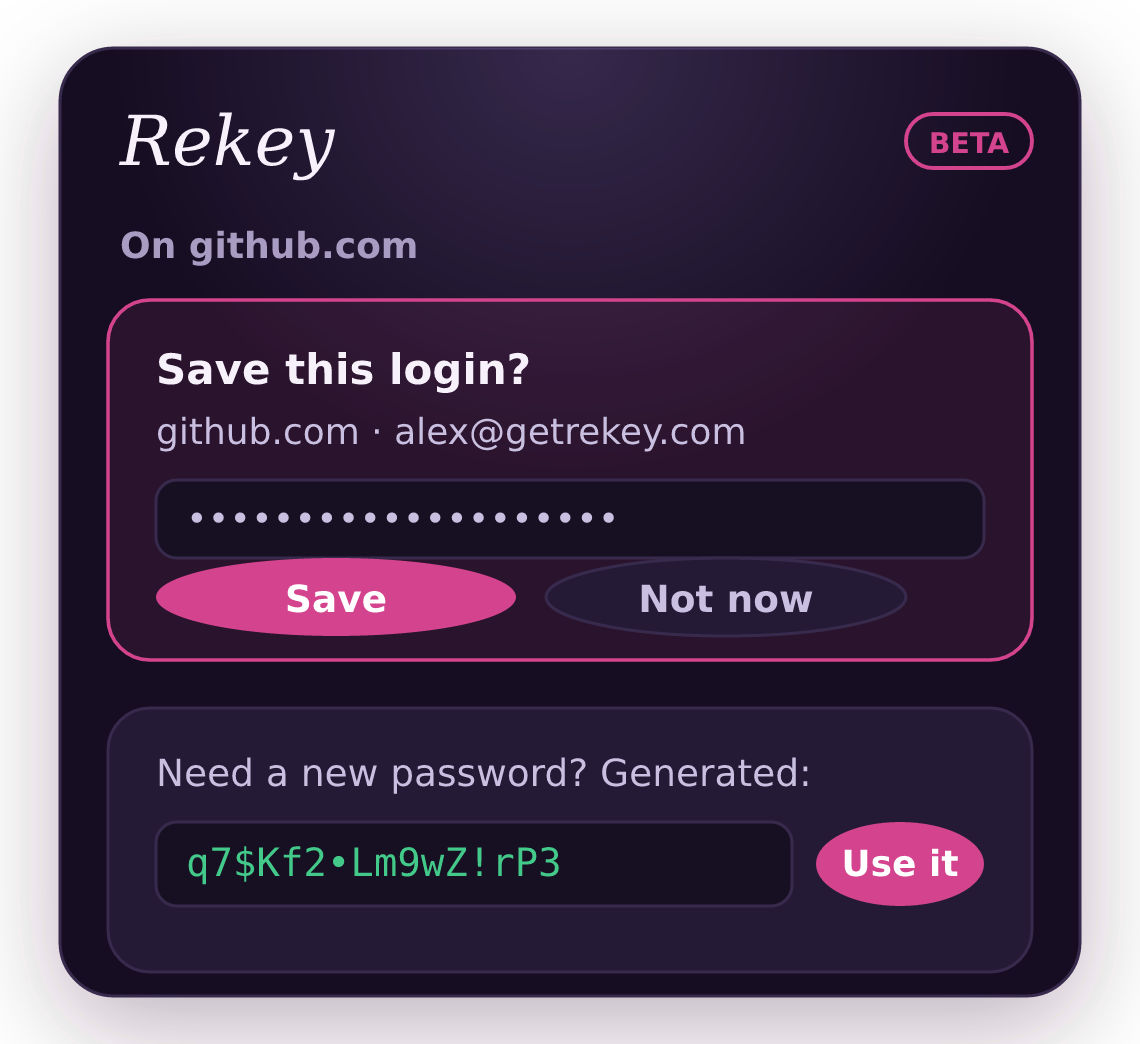
The whole flow in one short tour: sign up with a strong password, log in in one click, catch a breached login, and work through a batch of breached passwords. No lockouts, and nothing leaves your device.
The product
See Rekey in action.
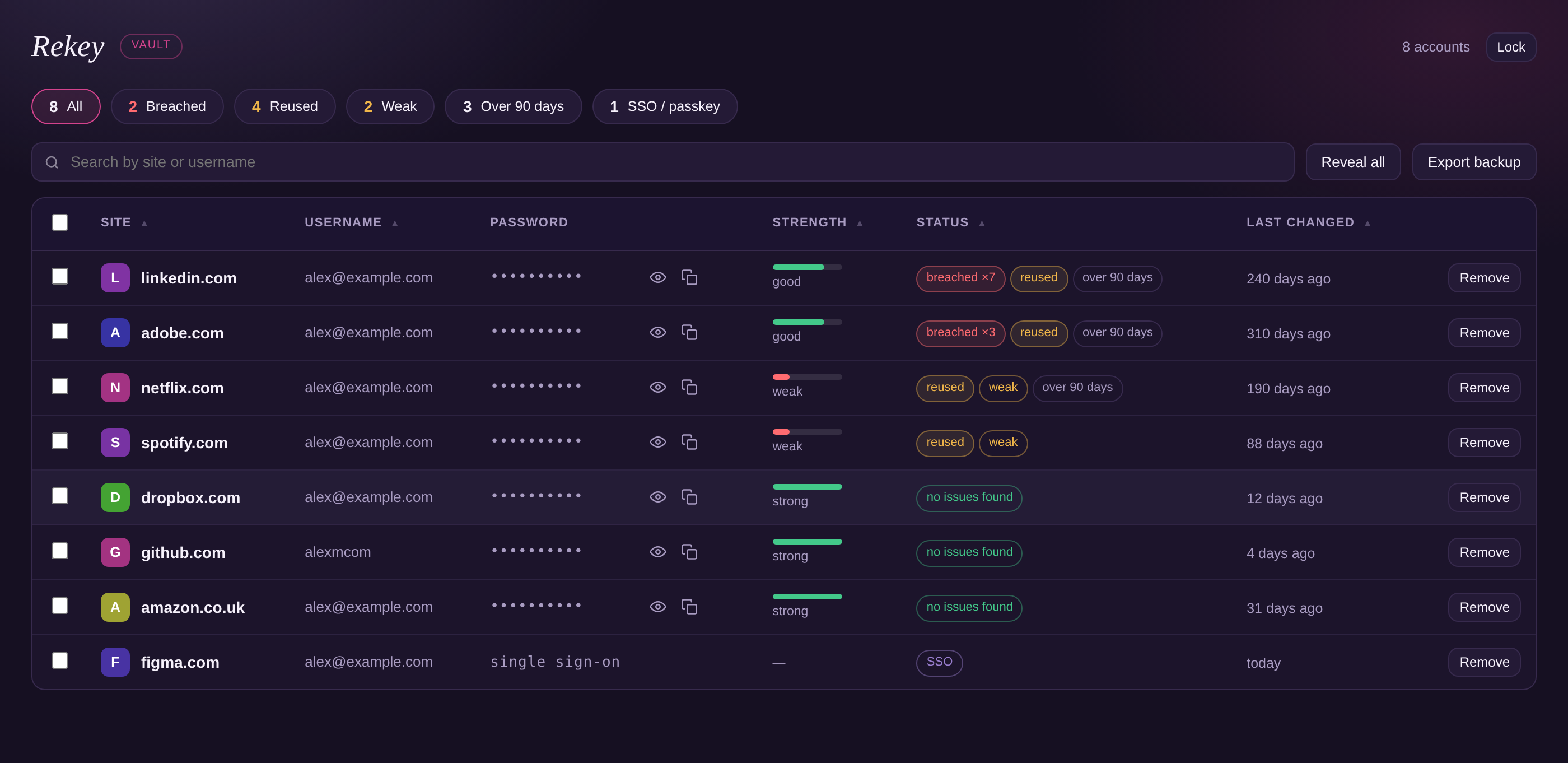
Every login in one sortable table. Filter to what is exposed, what you have reused, or anything older than ninety days. Passwords stay hidden until you ask for one.
02 · The fix
Rekeyed, notch by notch.
01
Connect your logins
Bring them from Chrome, Bitwarden, or a CSV, or run Rekey alongside your current manager. Nothing ever touches disk unencrypted.
02
A breach hits
Rekey flags the exposed accounts and walks each one to a new password. That's breach-triggered rotation, the one kind security experts (and NIST) agree on. Rotate any account by hand, any time.
03
Nothing is retired until it works
Your old password stays in the vault until the new one is proven. The next time you sign in with the new password, Rekey sees it work, marks the change confirmed and retires the old one. If the change never went through, the password you had is still there.
One scan
Know which ones are actually exposed.
Open Rekey and it checks every saved password against Have I Been Pwned, then tells you which logins are exposed and how many breaches each one turned up in. Only a five character hash prefix leaves your device, never a password.
03 · Why trust it
We can never read your passwords.
Not "we promise not to look." It's built into how Rekey works.
On your device, encrypted
Encrypted locally with a master password only you know. Optional sync stores only ciphertext we can't read.
Zero-knowledge by design
We architecturally can't see your passwords. A breach of our servers would spill nothing but scrambled bytes.
Open source
The code is public on GitHub. Anyone can read it, run the tests, and verify it phones nothing home. No telemetry, ever.
Your inbox stays yours
Rekey never needs email access. It confirms each change on the site itself.
Pricing
Free to store. Pay only for the magic.
Free
$0
Premium
$1.99 /mo, billed annually
For scale: NordPass is $1.49, Proton Pass $1.99, 1Password $2.99, and none will change a single password for you. Waitlist members keep launch prices for life.
FAQ
What happens if a change fails halfway?
Nothing bad. Rekey never discards the old password until the new one has been confirmed working. If a site changes its flow, you keep the old password and the site gets flagged on our coverage page.
If the old password still works, isn't the breached one still live?
Yes, and that is a deliberate trade. Rekey holds the old password only in your own vault, as a fallback in case the change did not take. What ends its usefulness is the site accepting the new one, and the moment Rekey sees the new password work it marks the change confirmed and retires the old one. The alternative, deleting your only working password the second a form is submitted, is how people get locked out of their own accounts. If you would rather close that window instantly, change the password and sign in once straight away.
What about two-factor login?
If a login needs a code, Rekey pauses and you paste it, the same way you would anyway. Sites that block automation get marked on our public coverage page.
Why not just use Bitwarden or 1Password?
Use them, they're good vaults. But neither will change a single password for you. Rekey is for the part after "your data was compromised," and it runs alongside them.
Isn't regular password rotation bad advice now?
Forcing changes on a fixed schedule is outdated, and NIST agrees. Rekey's default is rotation with a reason: a reported breach, a shared account handed back, a lost device.
04 · Rekeyed
Stop resetting passwords by hand.
First year of Premium free when we launch, and you help pick which sites get covered first.